
Screen recording
Record your screen in HD at up to 60 FPS and save as MKV, MP4 or MOV.
Windows screen recording software
Record your screen, capture tutorials, create videos and share your ideas with Jeet Screen Recorder.
For students, teachers, YouTubers, content creators and anyone who needs simple screen recording on Windows.
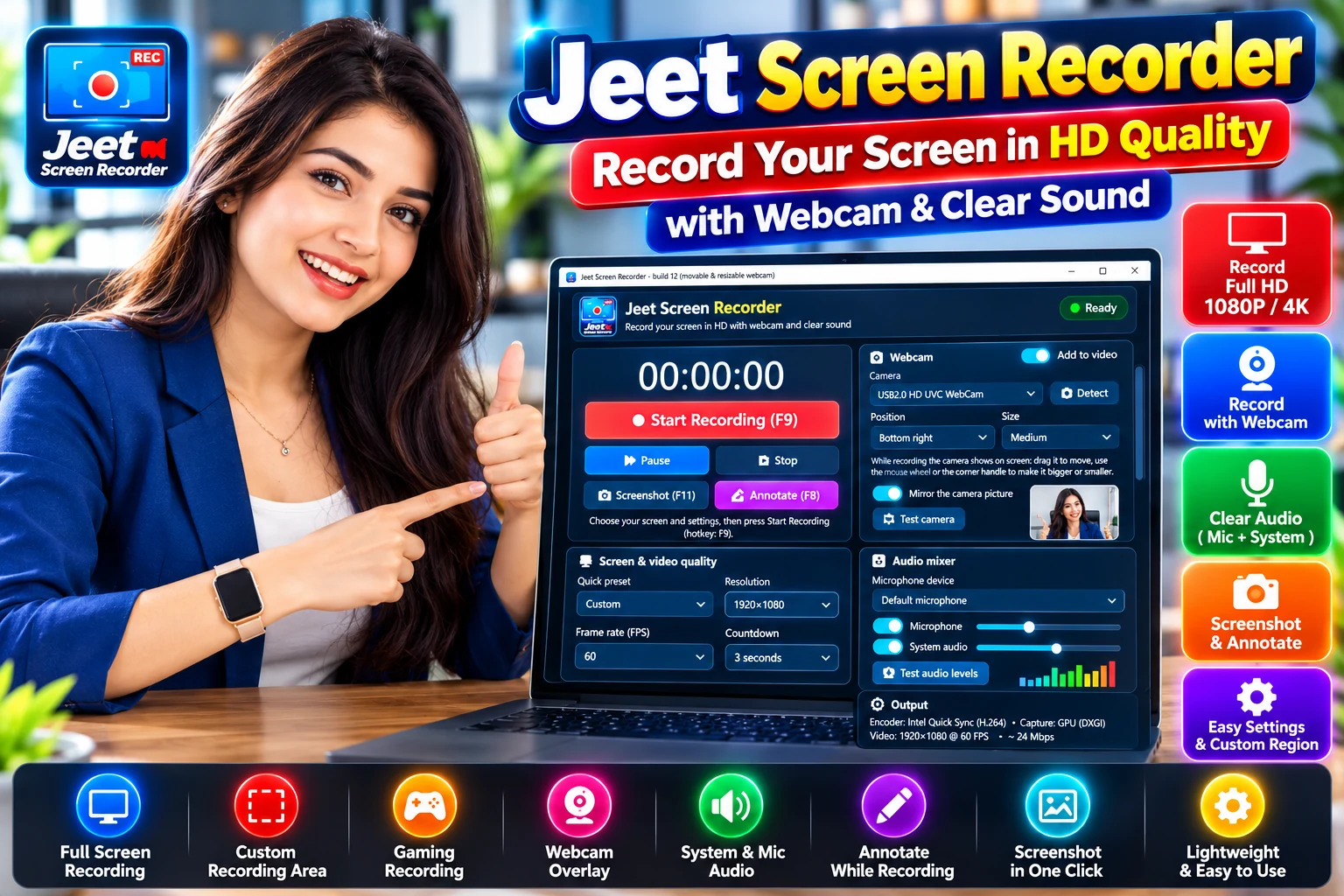
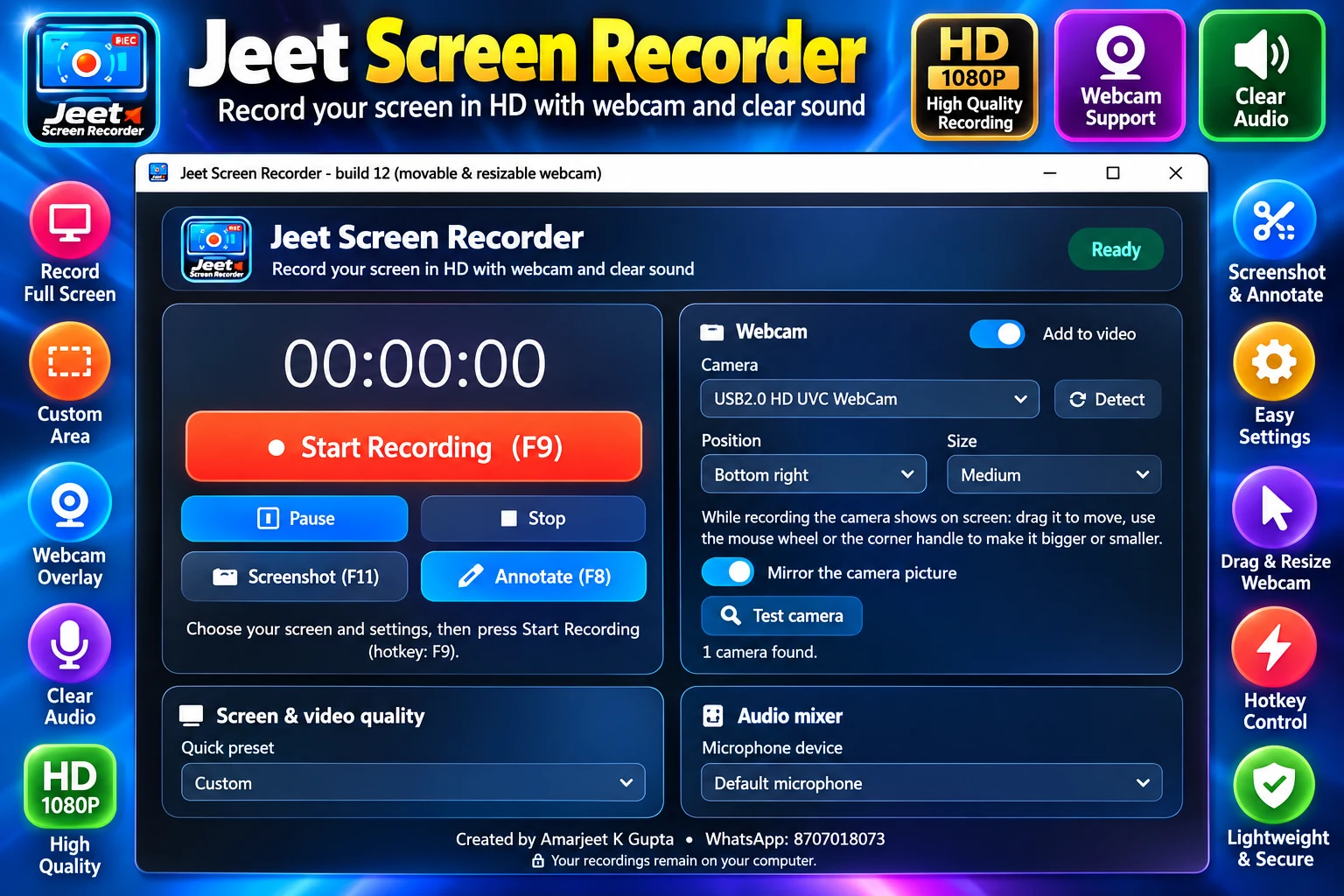
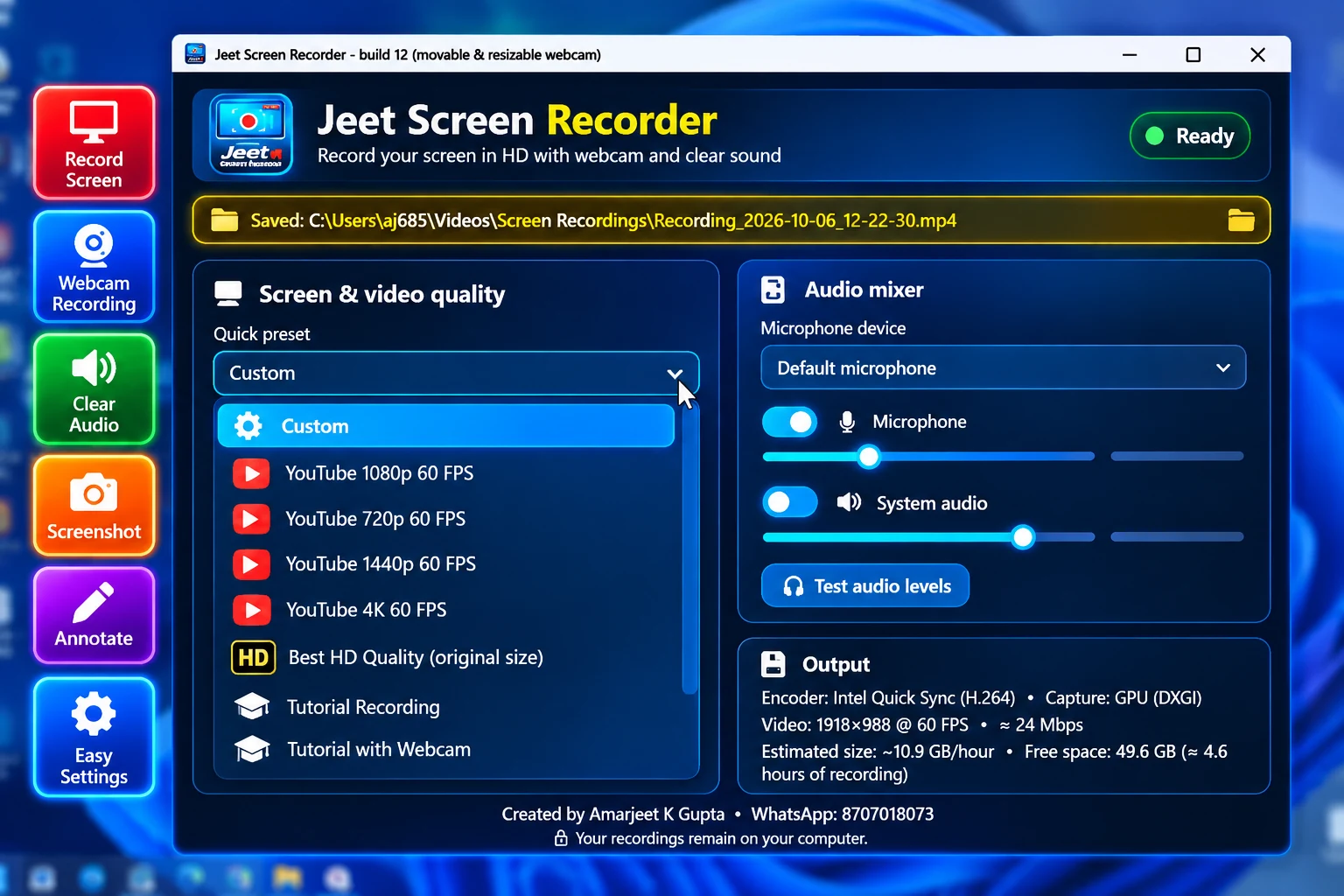
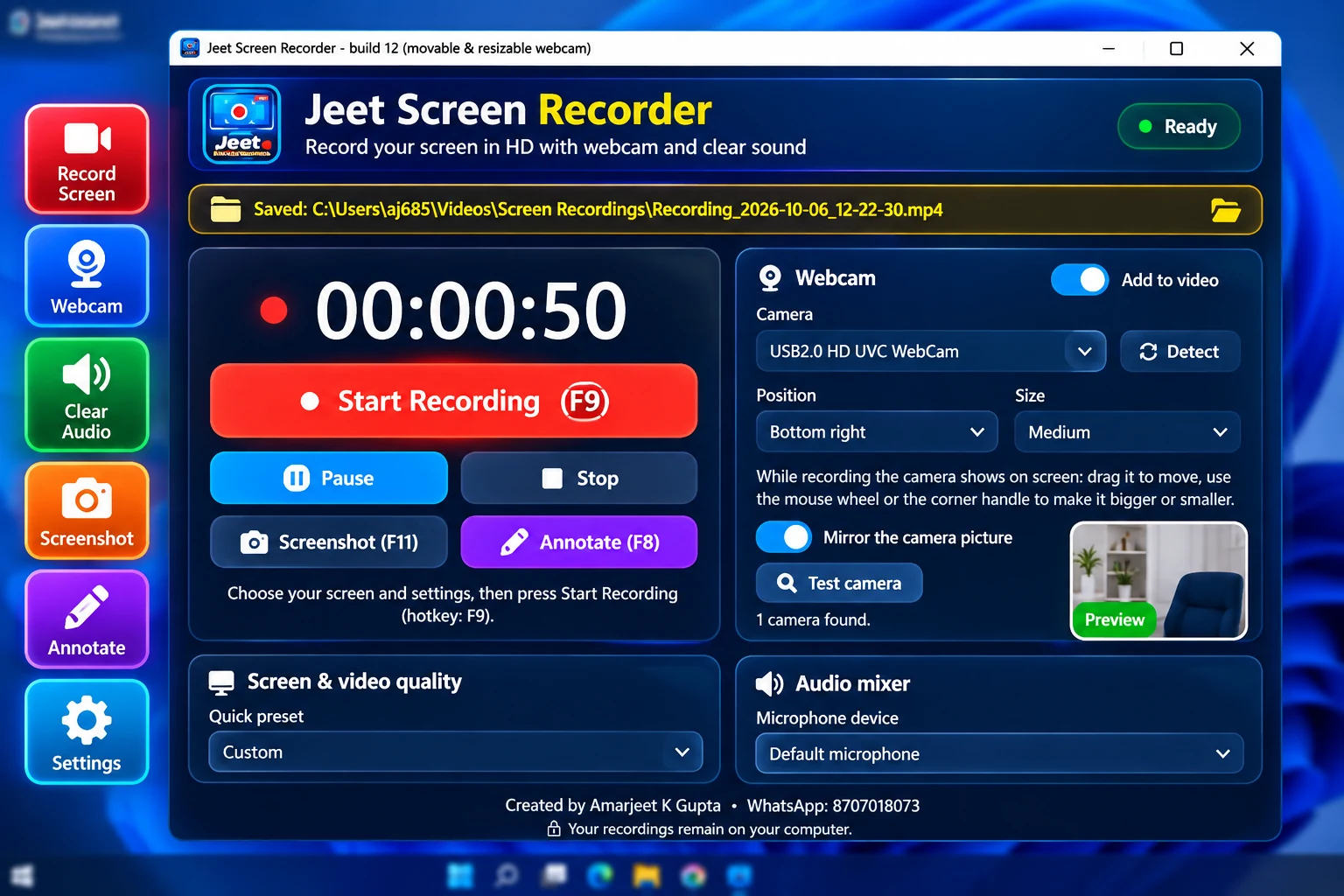
Pick a preset, press F9 and record.
Record your voice and your PC's sound together.
A small recording bar and clear hotkeys.
Show your camera in a corner of the video.
Presets for tutorials, classes and YouTube.
Features
These are the features available in the app today.
Record your screen in HD at up to 60 FPS and save as MKV, MP4 or MOV.
Record the whole screen, or choose one monitor if you use more than one.
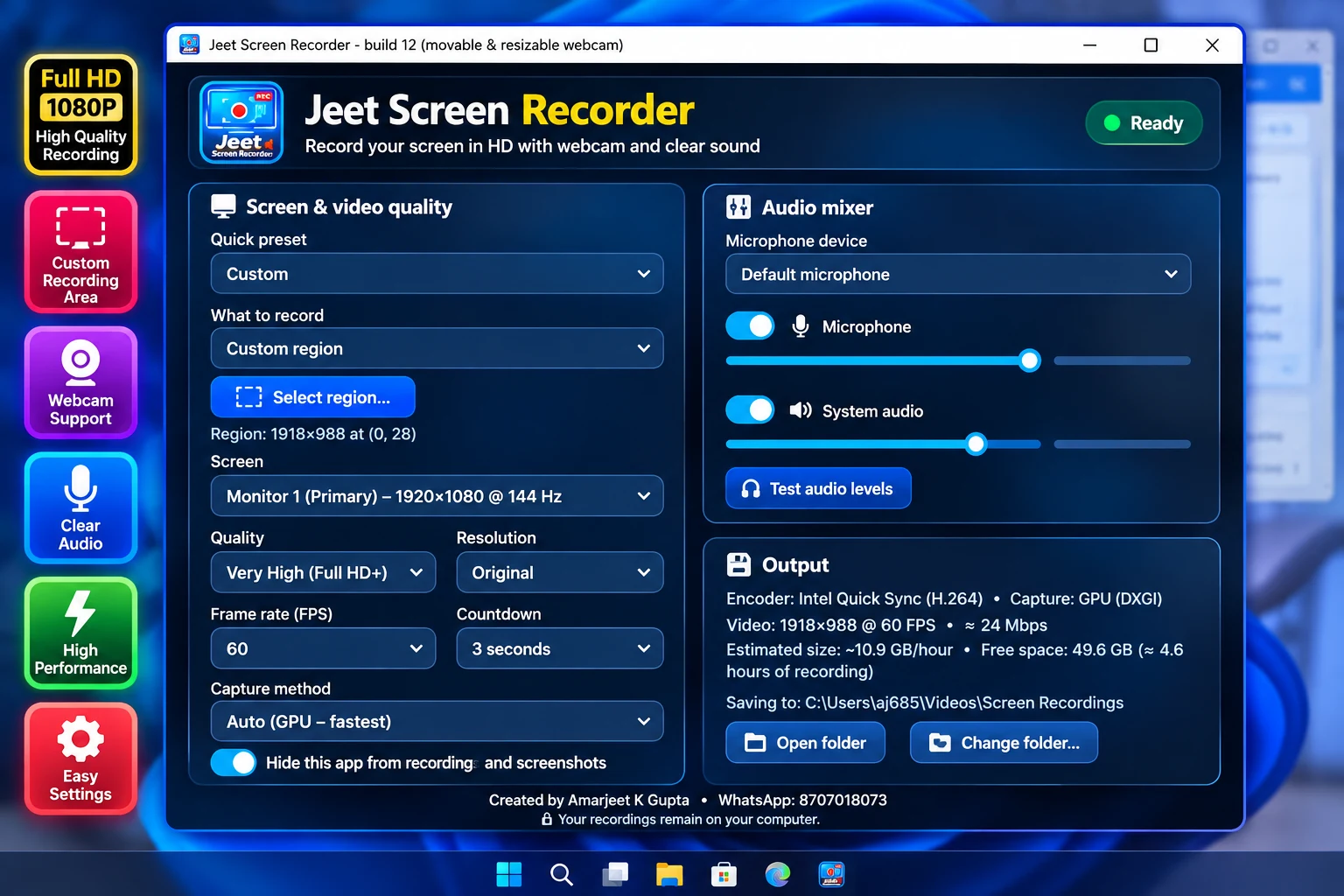
Draw a custom area, reuse a fixed area, or record a single window.
Choose your microphone, set its volume and check the level before you start.
Record the sound playing on your PC, with its own volume control.
Add your camera as a picture-in-picture in any corner, in three sizes, with optional mirror.
Pause with F10 and continue in the same video.
Quality levels from Low to Ultra, with H.264, HEVC or AV1, and hardware encoding when your PC has it.
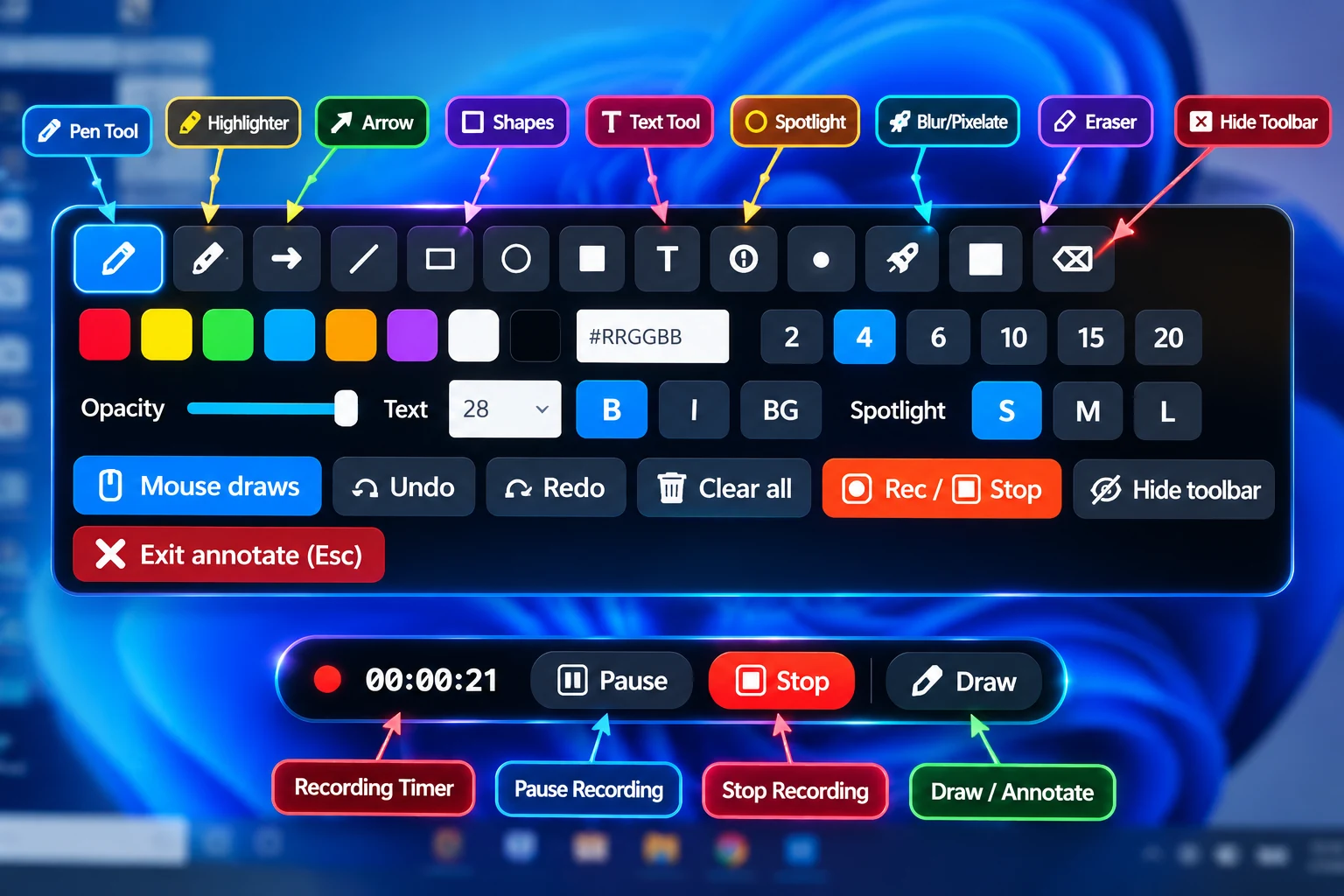
F9 start or stop, F10 pause, F8 drawing toolbar, F11 screenshot.
Ready-made presets for YouTube, tutorials, gaming and low-end PCs keep setup short.
Choose where videos are saved, open the folder from the app, and recover an unfinished recording.
Pen, arrow, text, spotlight and blur while recording. Take screenshots as PNG, JPG or WebP.
How it works
Download the Windows installer from this website and install it.
Pick the full screen, a window or an area, then choose a preset and your audio.
Press F9 to start. Press F9 again to stop. Your video is saved on your PC.
Screenshots
Who uses it
Record lectures you are allowed to record, presentations and project demos.
Create lesson videos with your voice, your screen and your webcam.
Use the YouTube presets for 720p, 1080p, 1440p and 4K at 60 FPS.
Record walkthroughs and commentary, and mark things on screen as you go.
Show clients your work, or record a quick how-to instead of writing a long email.
Record your session with microphone and webcam in a single file.
Use the Tutorial presets and drawing tools to guide viewers step by step.
Record product demos and training videos for your team or customers.
Pricing
Try the app free. Buy a full-version licence when you want to keep recording. Pricing details
You pay on our secure payment page at adm.jsrecorder.com. The final amount is shown there before you pay.
Download
| Application | Jeet Screen Recorder for Windows |
|---|---|
| Version | 0.1.0 |
| File size | 141.73 MiB |
| Updated | 6 October 2026 |
Download from this website only. See installation steps.
| Operating system | Windows 10 (version 2004 or newer) or Windows 11, 64-bit |
|---|---|
| RAM | 4 GB minimum, 8 GB recommended |
| Storage | About 500 MB free for the app, plus space for your recordings |
| Graphics | Any graphics card. NVIDIA, Intel and AMD hardware encoding is used when available, otherwise software encoding. |
| Additional requirements | Internet connection for the free-trial registration, licence activation and periodic licence checks. |
Why Jeet Screen Recorder
Jeet Screen Recorder is built around the everyday jobs people actually do: record a tutorial, record a class, record a demo. It starts with sensible presets, so you can record without learning encoder settings, and the advanced options are there when you want them.
One main window, a small bar while recording, and hotkeys.
Full screen, a window, or a selected area, with optional webcam.
Microphone and system audio, with separate volumes and a level check.
Press F9, record, press F9 again, and open the folder.
Presets and plain-language options instead of technical menus.
FAQ
Support
Write to us and include your app version. We will help you with installation, licence and recording problems.
Try Jeet Screen Recorder free for 7 days. Buy a licence when you are ready.